

Technical Help
Scroll down for detailed instructions.
Select device
Step 1
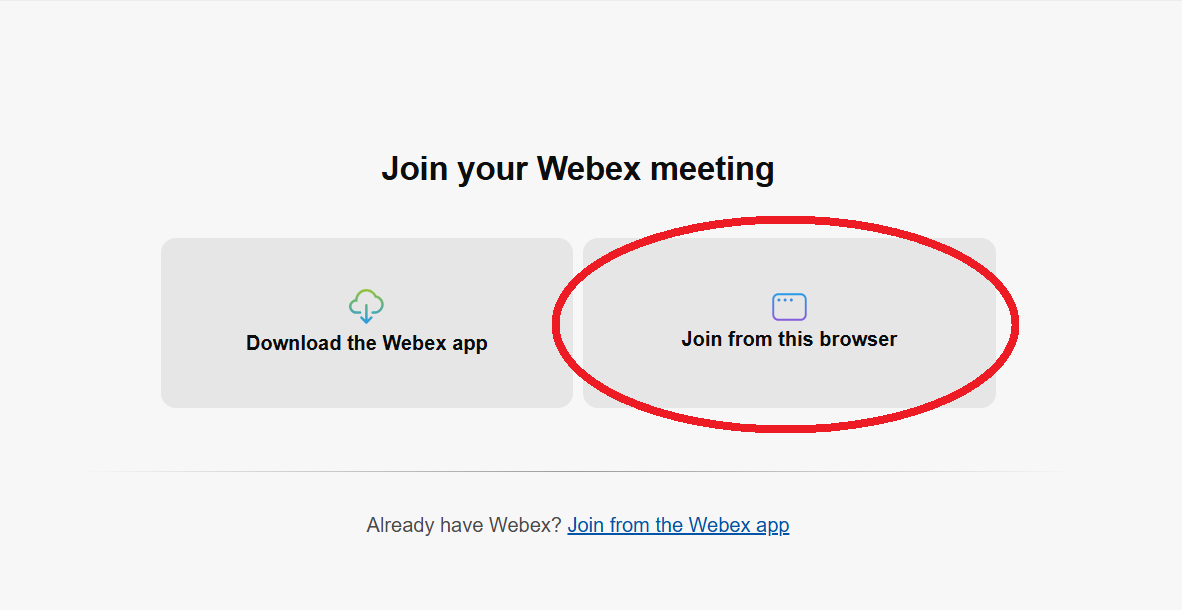
After clicking Join Now, you will be given this choice. Select Join from this browser, or Download the Webex app. (The instructions here are for browsers.)
Step 2
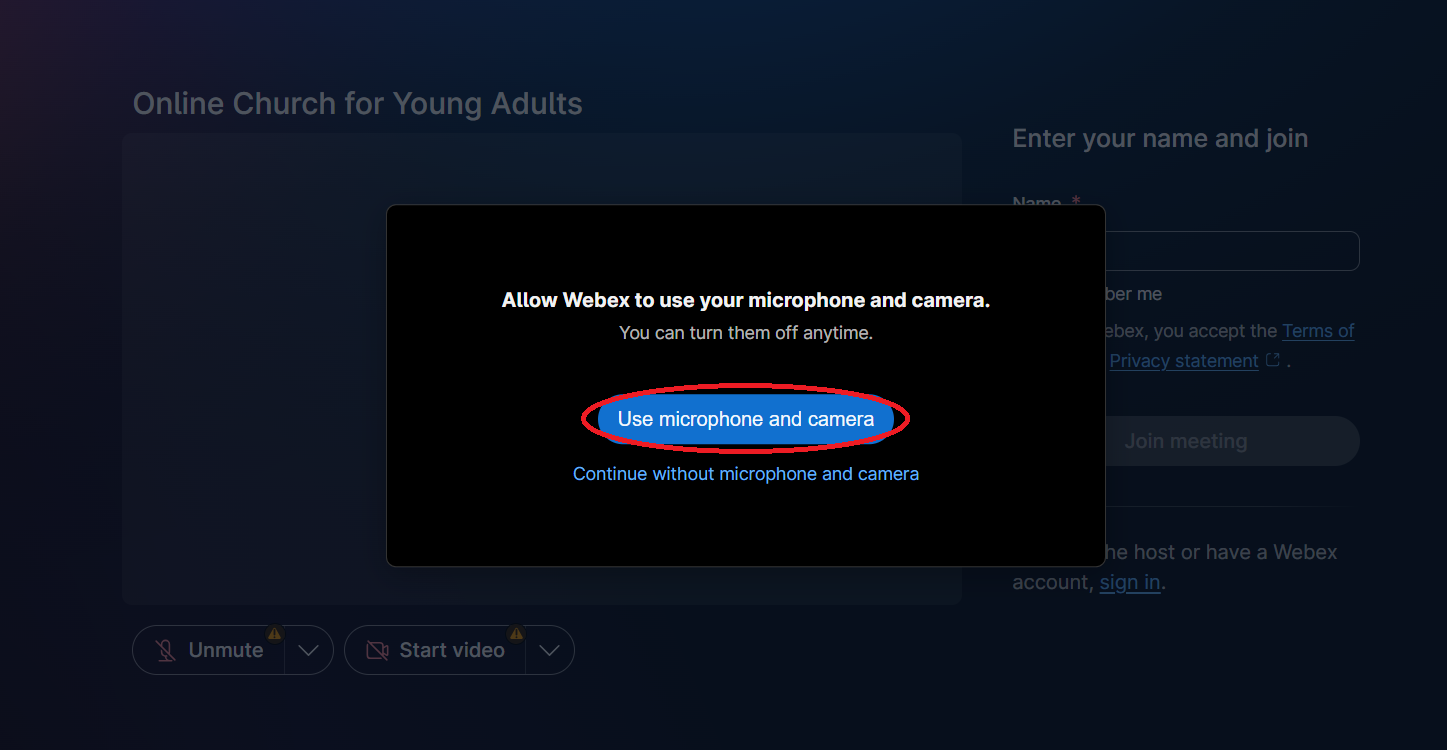
Select Use microphone and camera.
Step 3
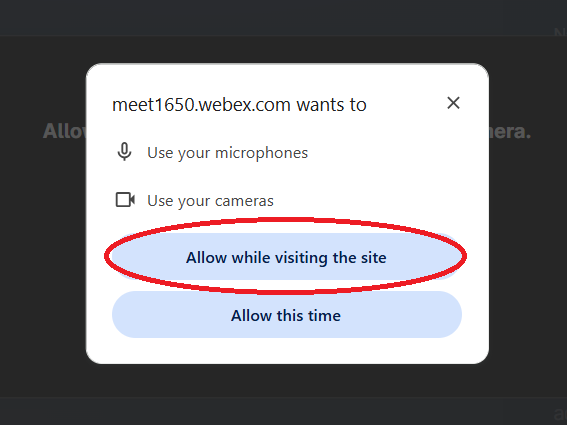
Select Allow while visiting the site.
Step 4
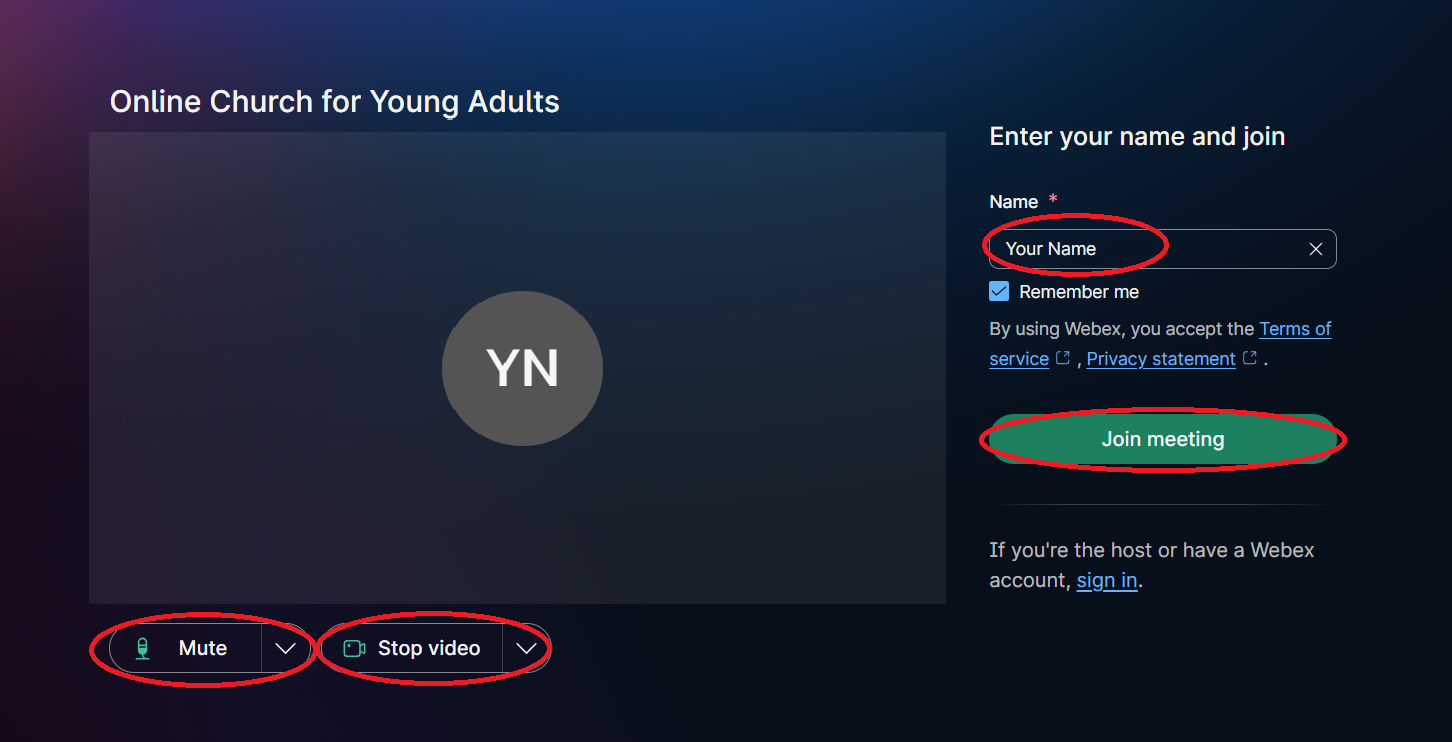
Enter your name. Check that you can see yourself. If not - check that the video is green. Press the down arrow if you want to change settings. Click Join meeting.
Step 5
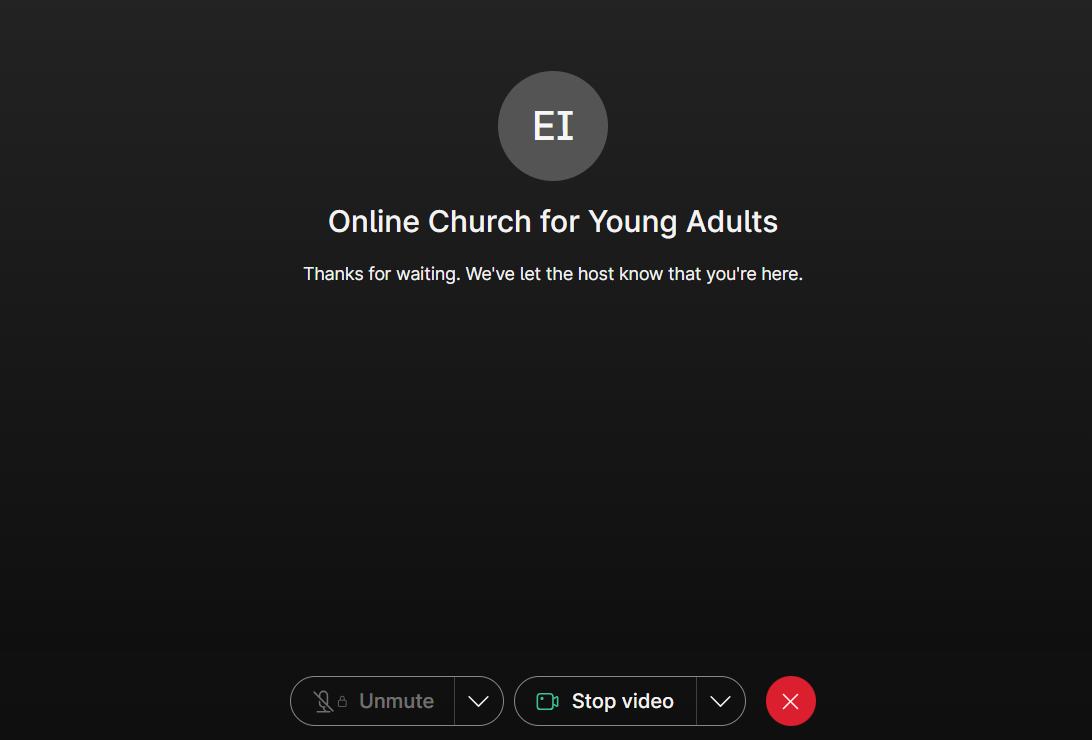
You will now arrive at the lobby. We will let you in as soon as possible.
Step 1
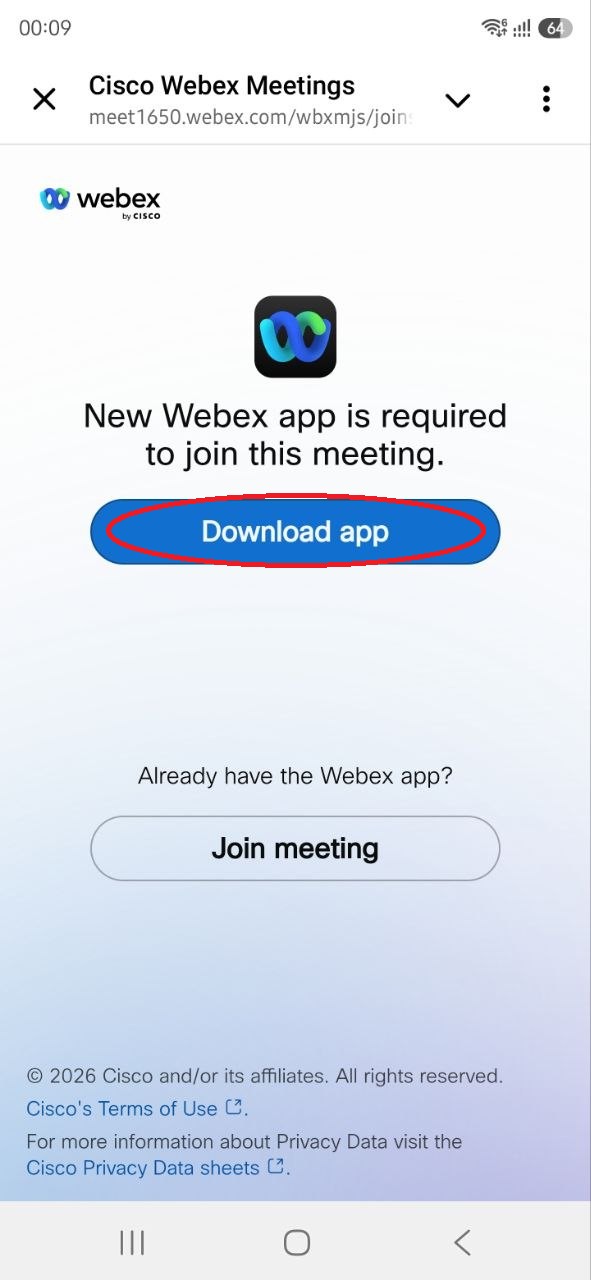
After clicking Join Now, you will come here. Select Download app. (If you already have Webex installed, you will be taken to Step 6 instead.)
Step 2
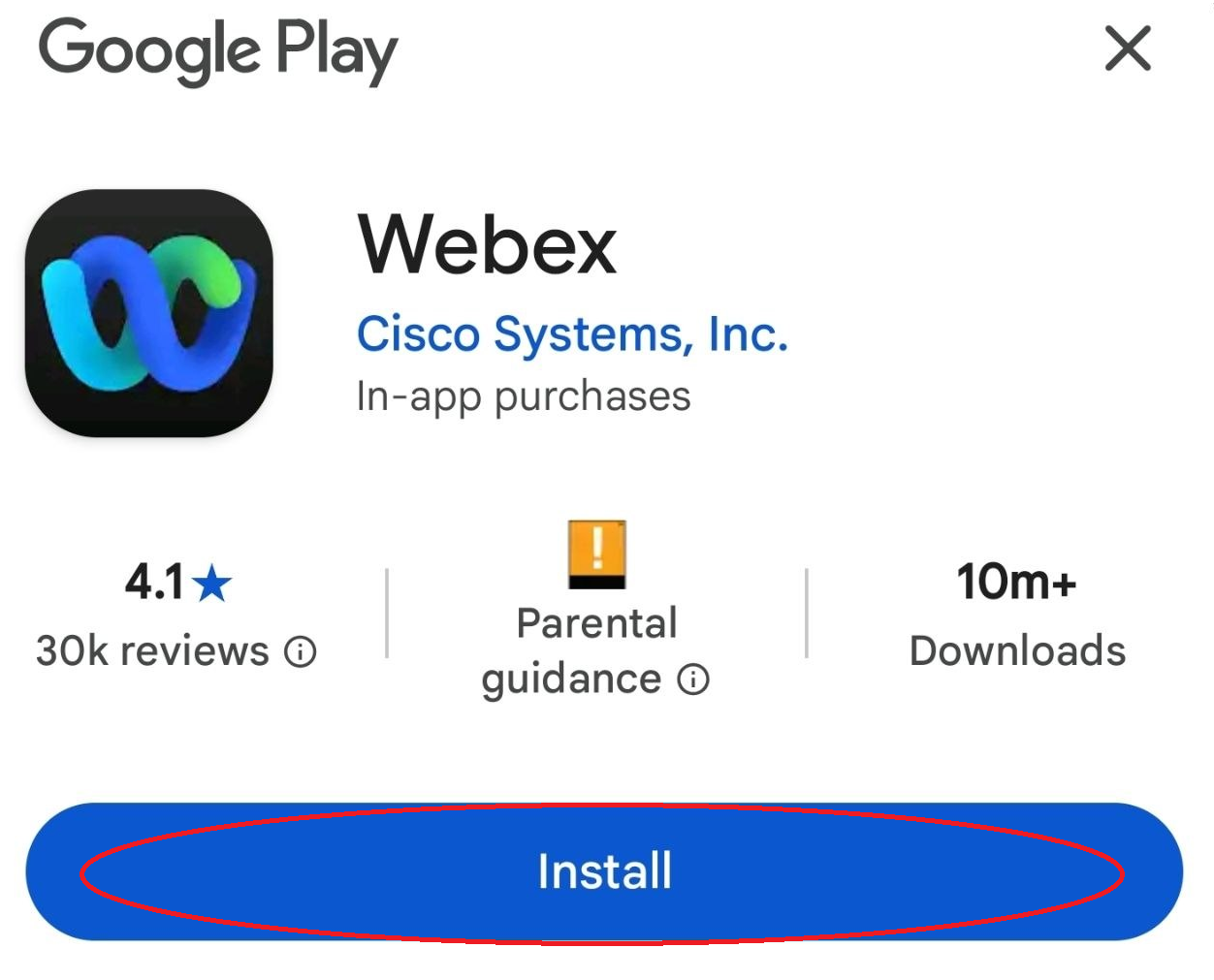
Choose Install.
Step 3
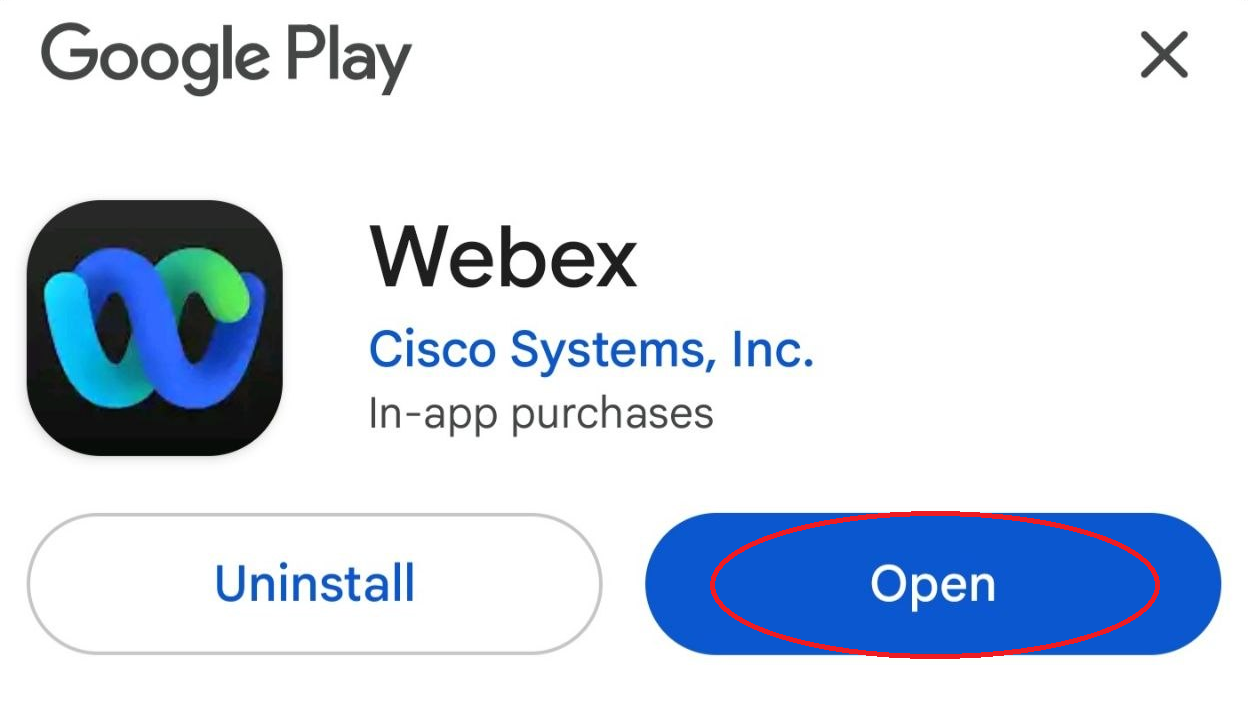
Choose Open.
Step 4
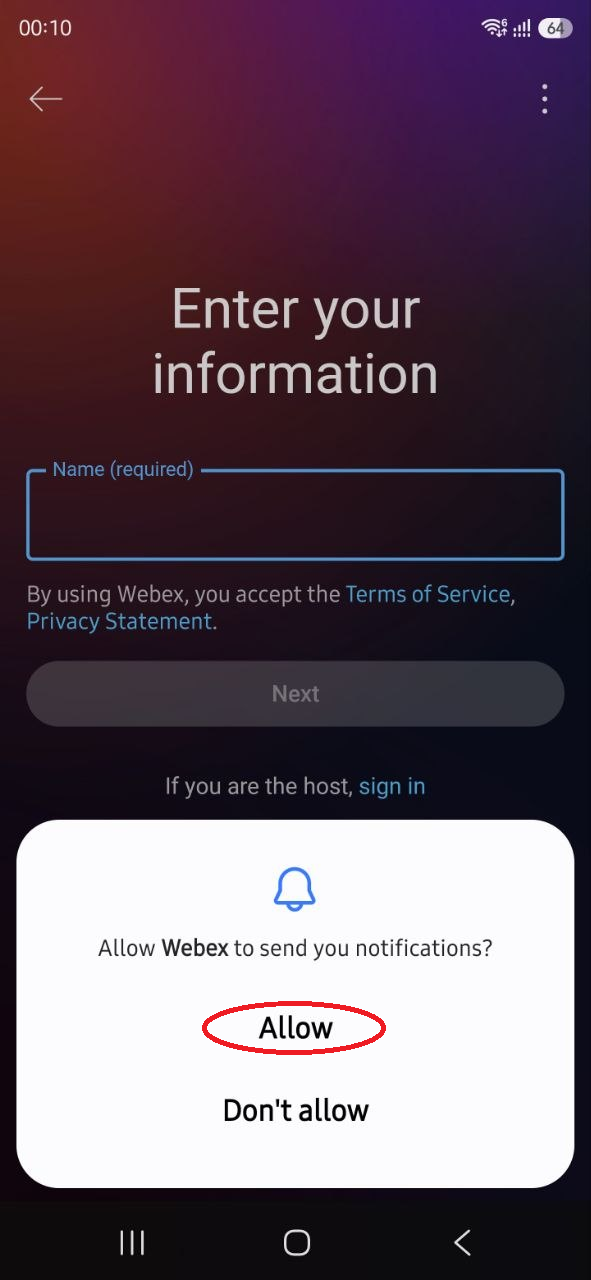
Choose Allow.
Step 5
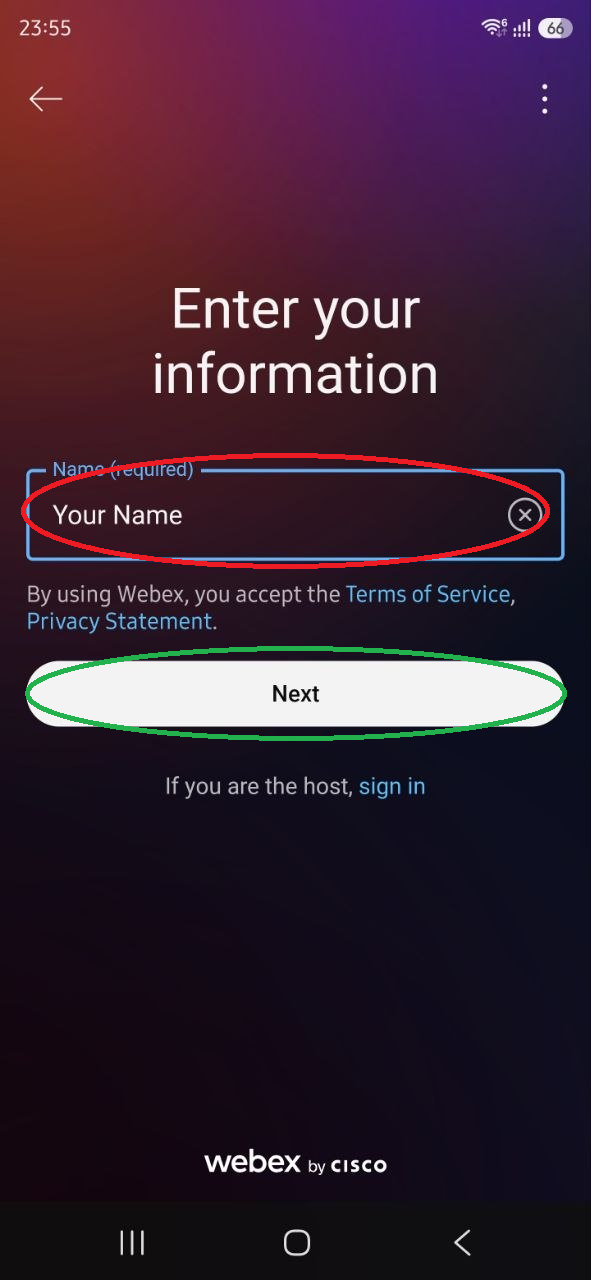
1. Enter your name. 2. Select Next.
Step 6
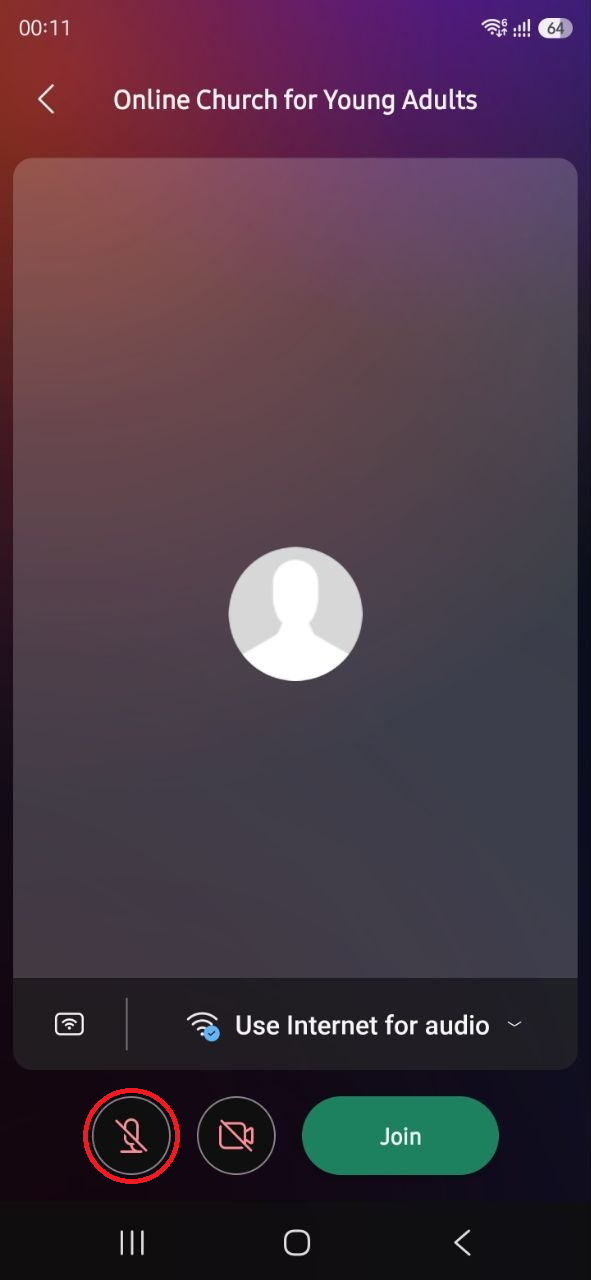
Click on the microphone.
Step 7
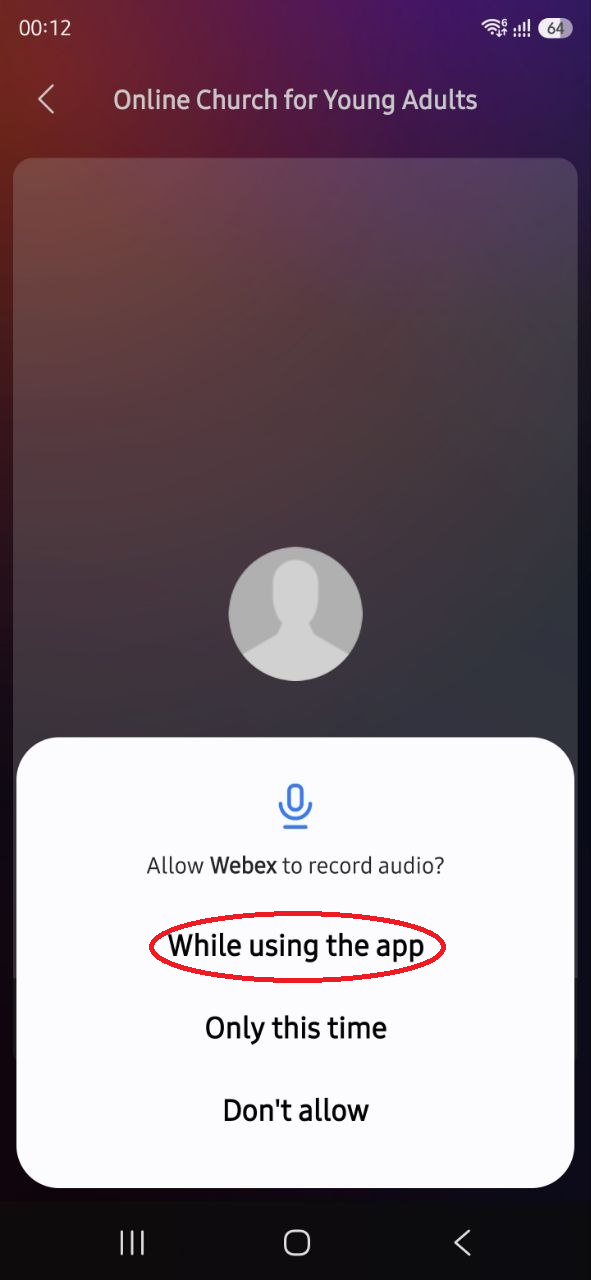
Select While using the app.
Step 8
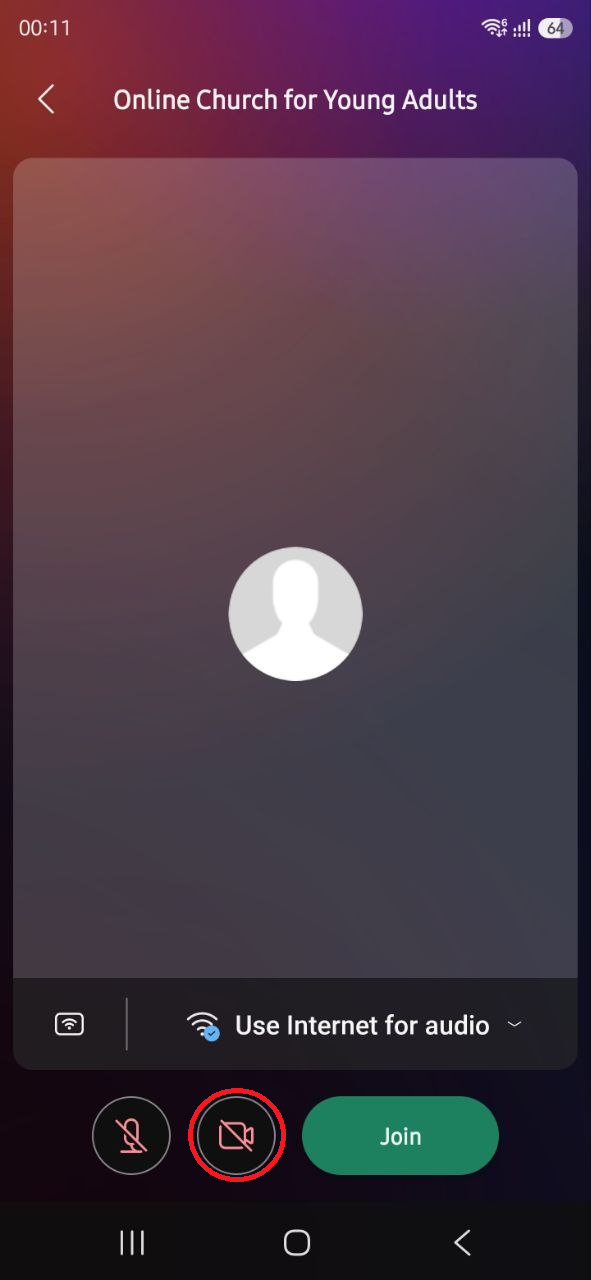
Click on the video camera.
Step 9
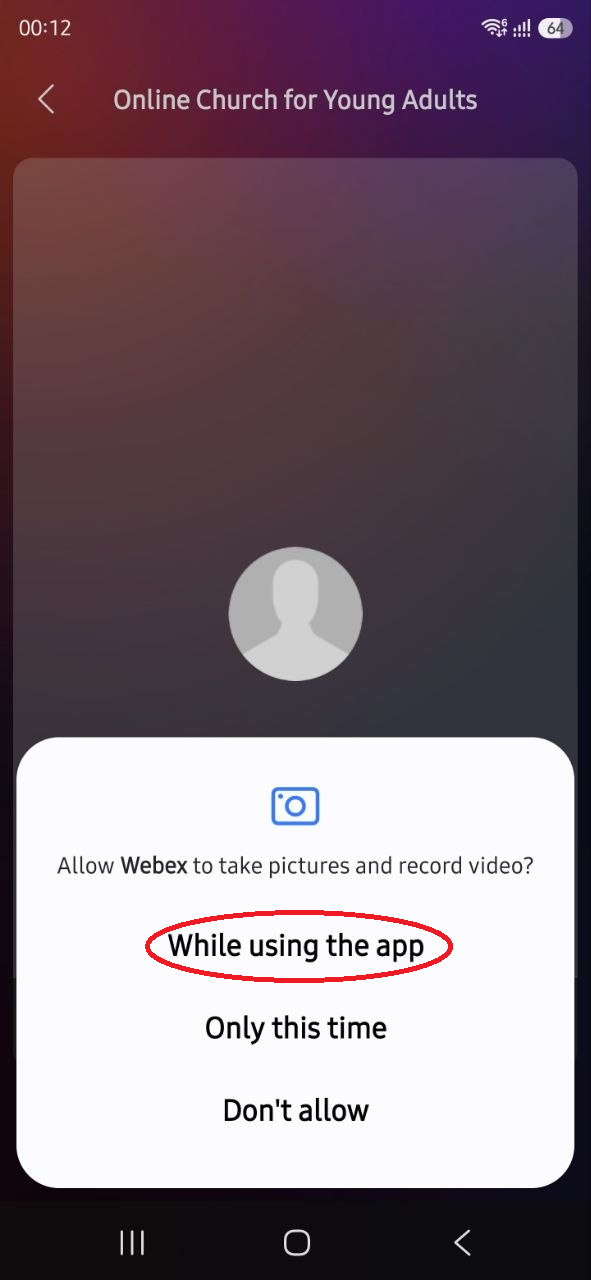
Select While using the app.
Step 10
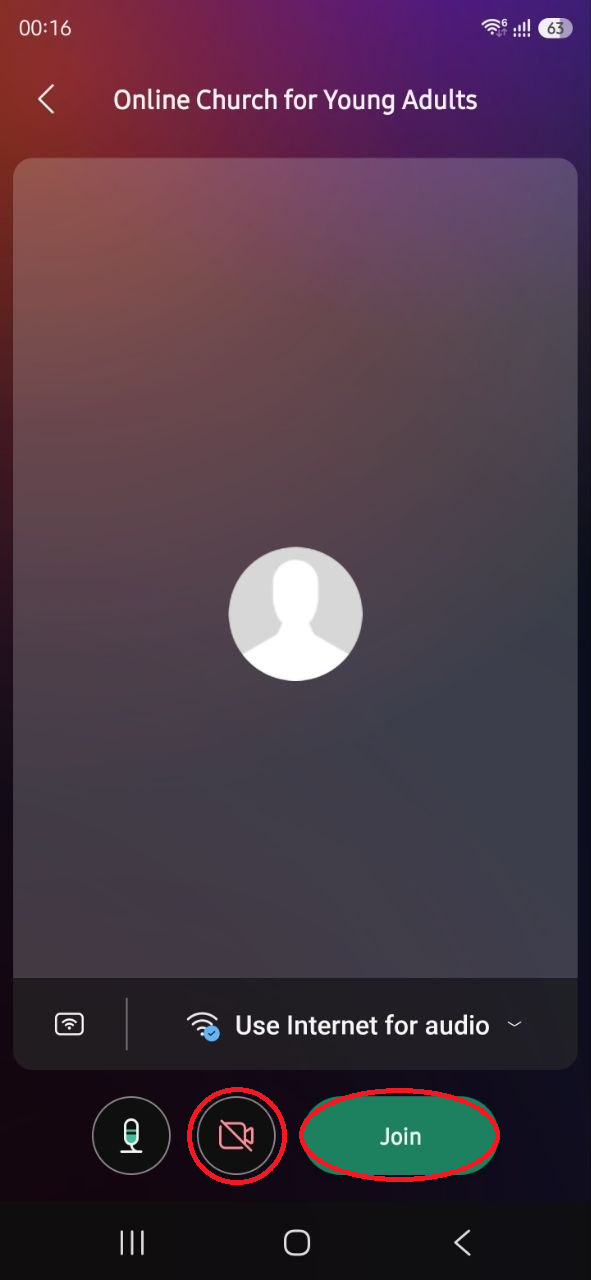
Check that you see yourself. If not, check that the video is green.
Step 11
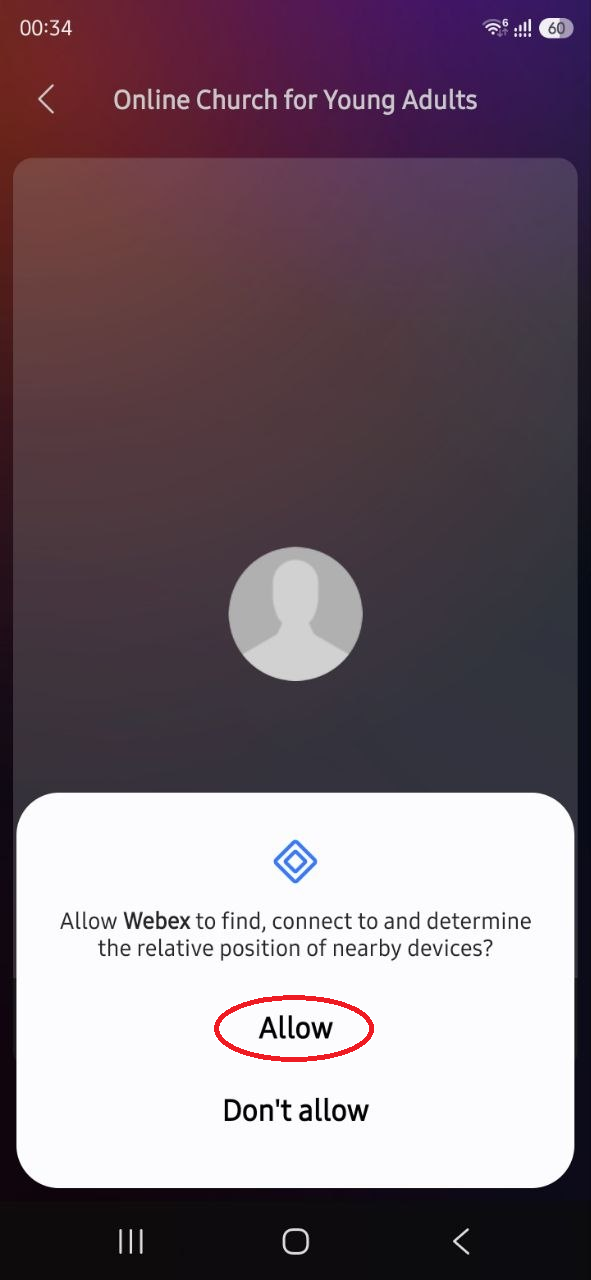
Choose Allow.
Step 12
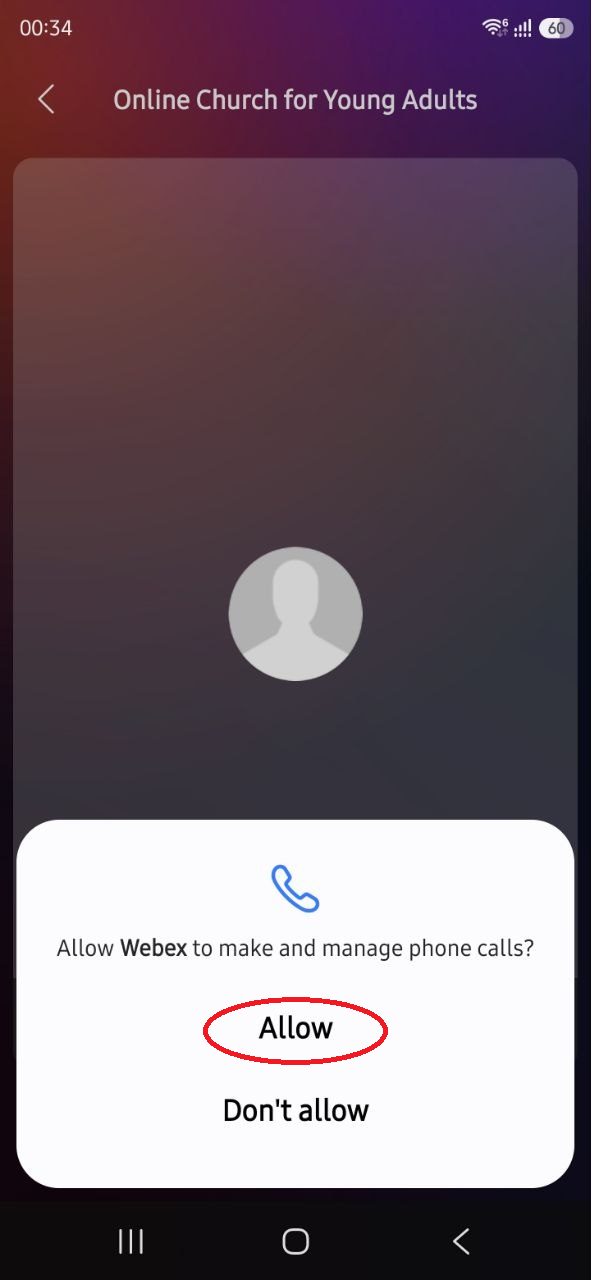
Choose Allow.
Step 13
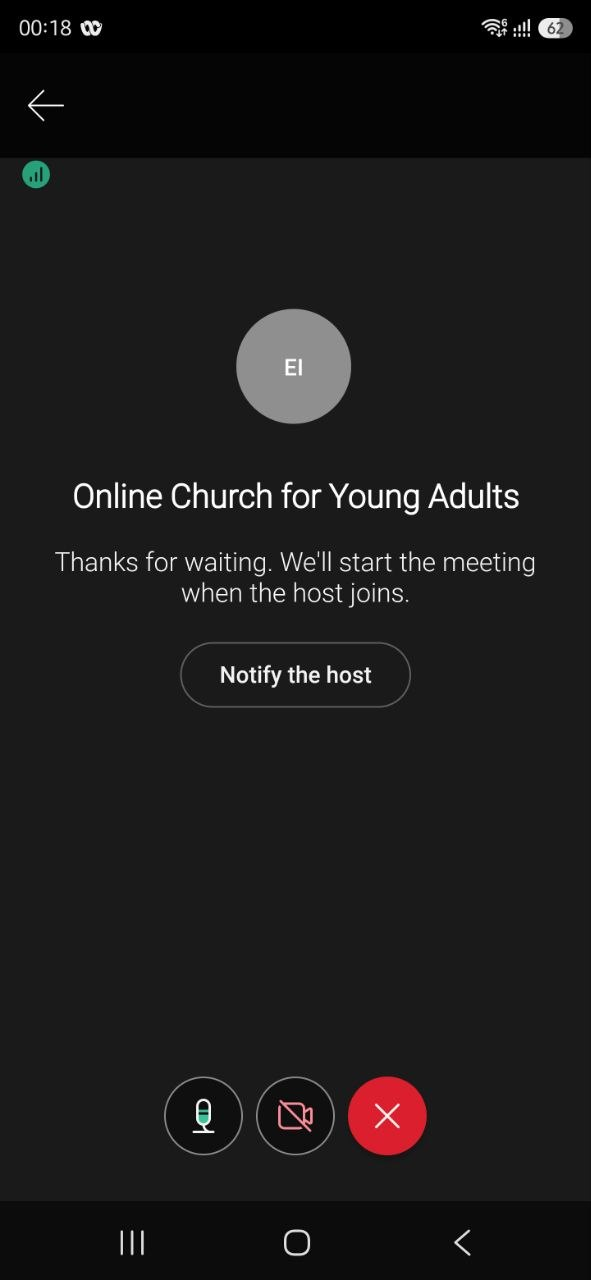
You will now arrive at the lobby. We will let you in as soon as possible.
Step 1
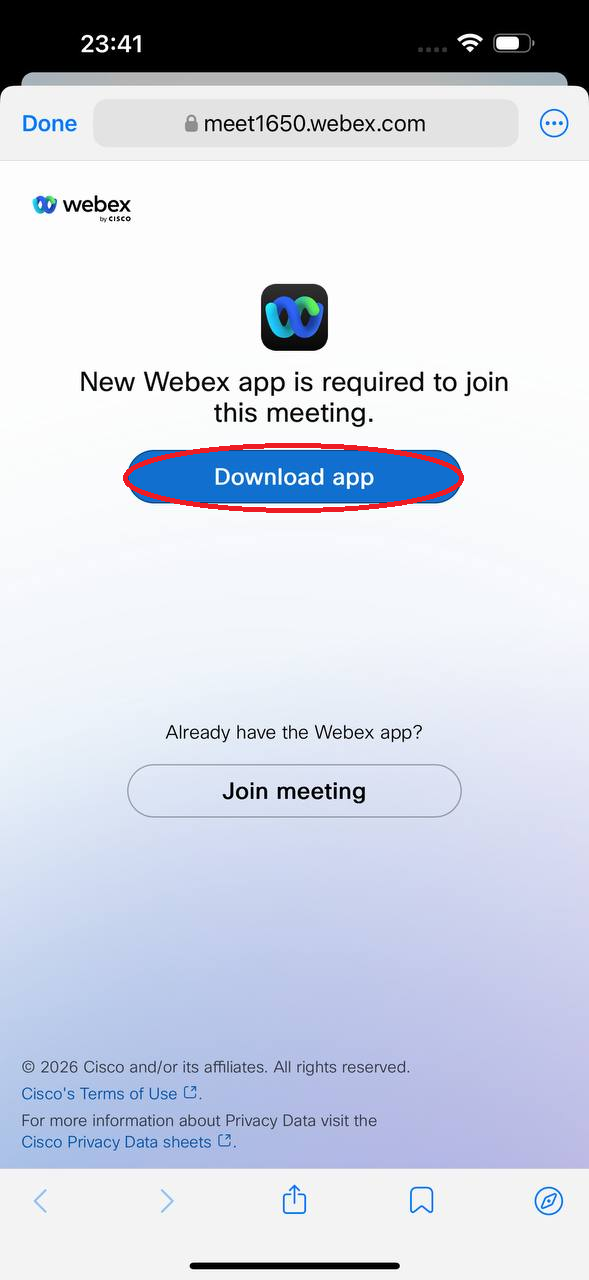
After clicking Join Now, you will come here. Select Get the app. (If you already have Webex installed, you will be taken to Step 7 instead.)
Step 2
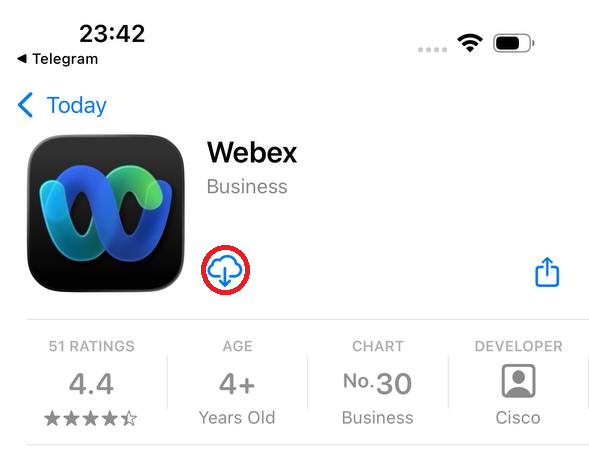
Choose to Download.
Step 3
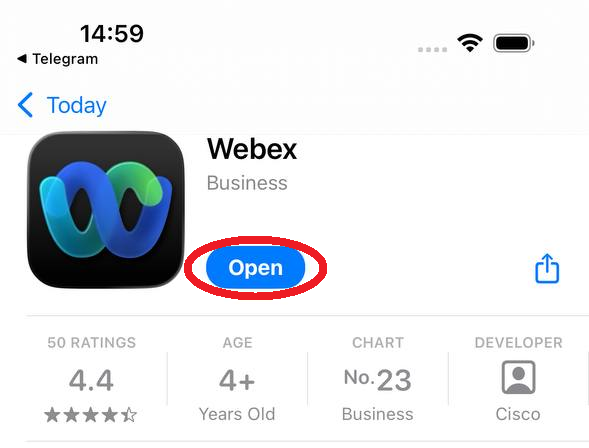
Choose Open.
Step 4
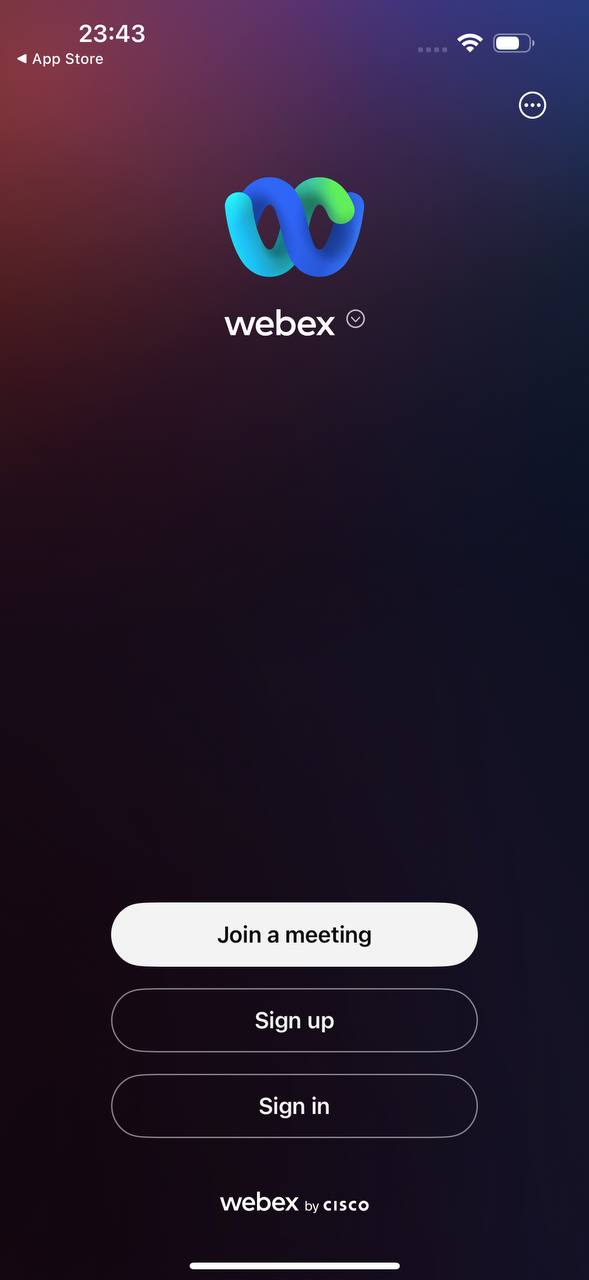
You will now come here. Webex does not automatically open the link on iPhone so you need to click Join Now again.
Step 5
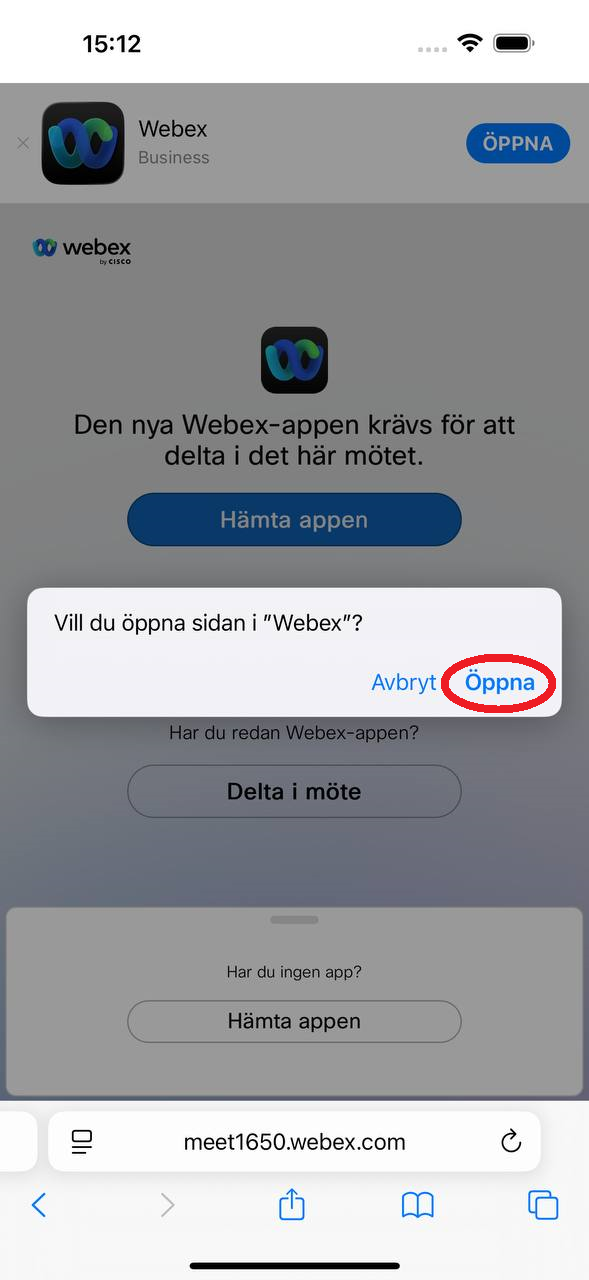
Choose Open.
Step 6
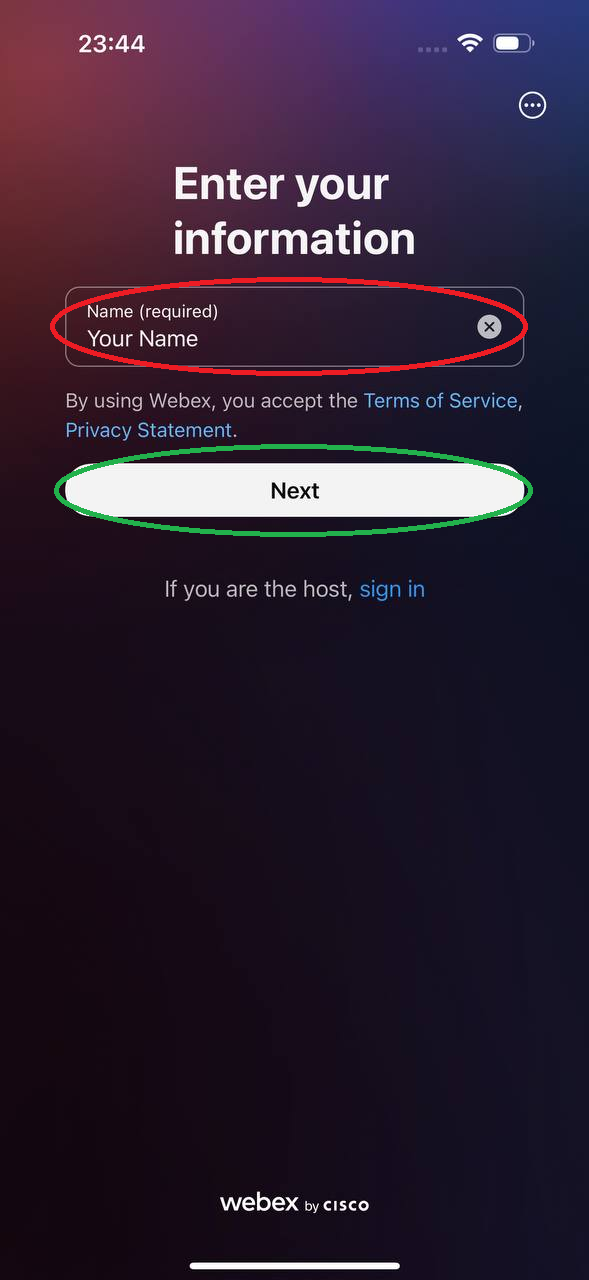
1. Enter your name. 2. Select Next.
Step 7
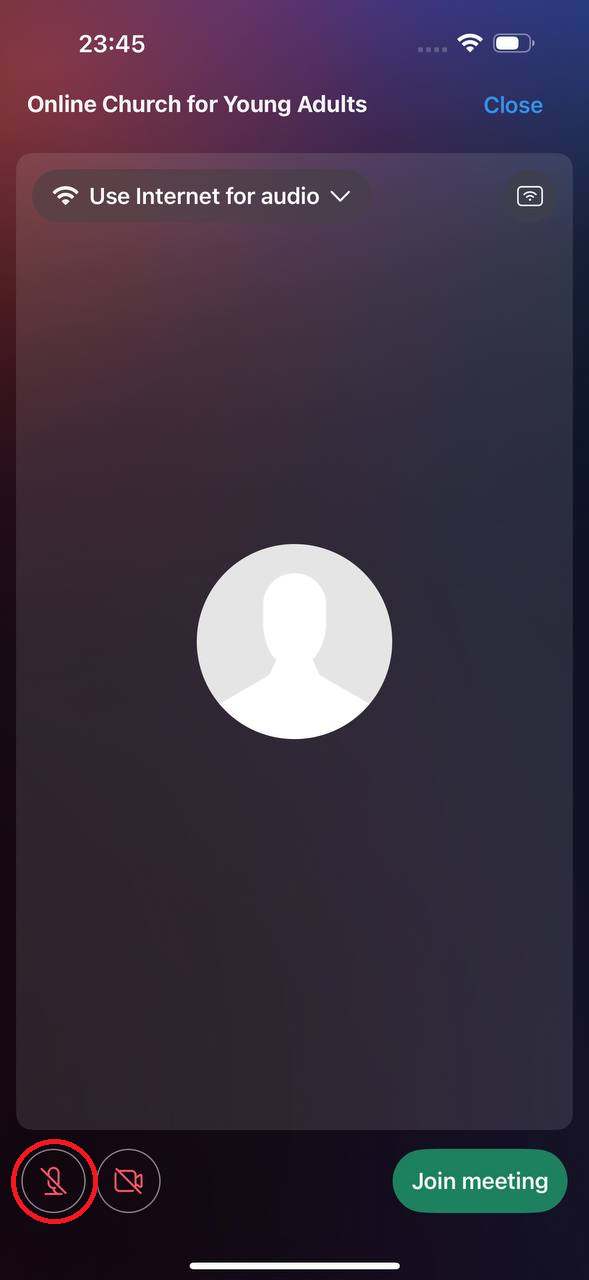
Click on the microphone.
Step 8
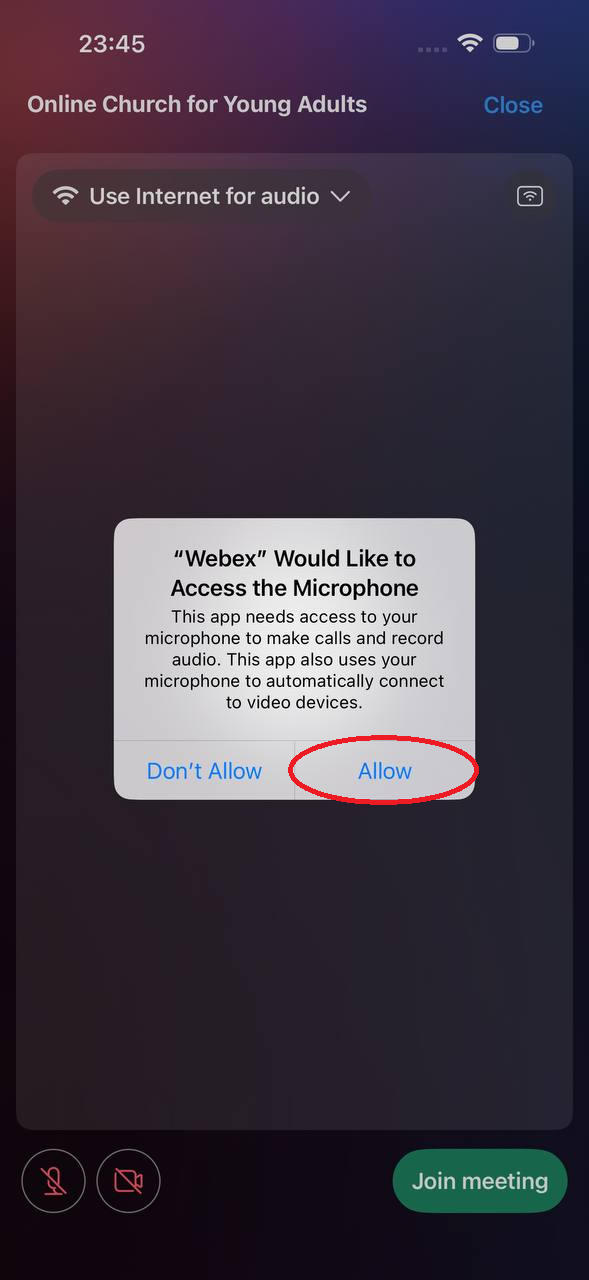
Choose Allow.
Step 9
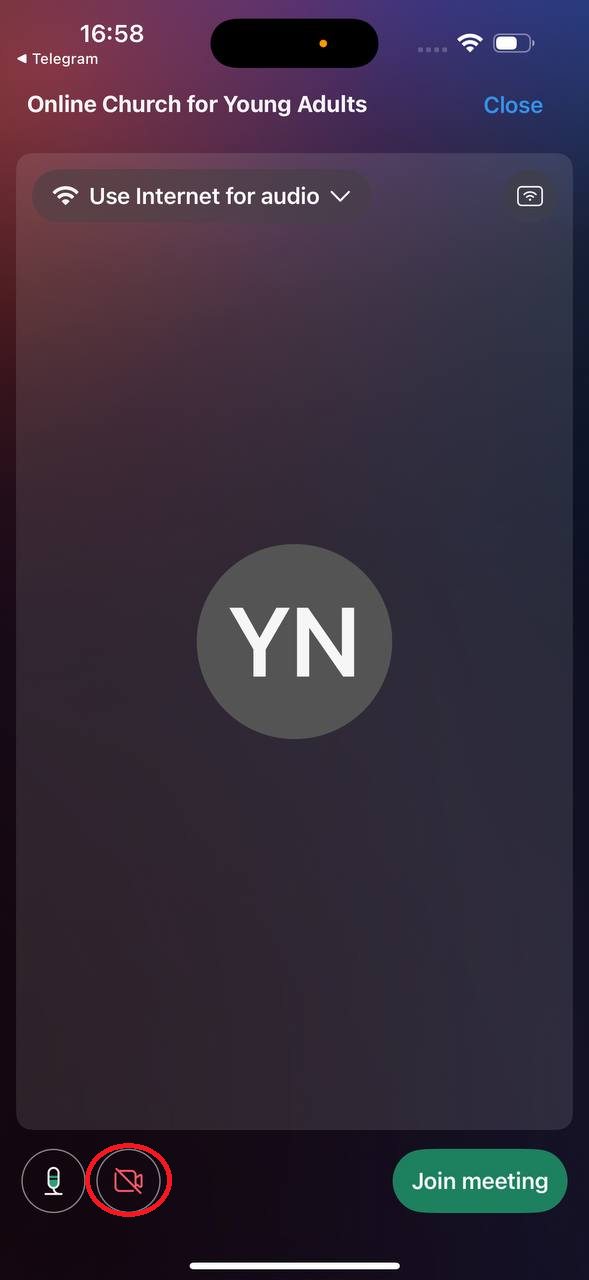
Click on the video camera.
Step 10
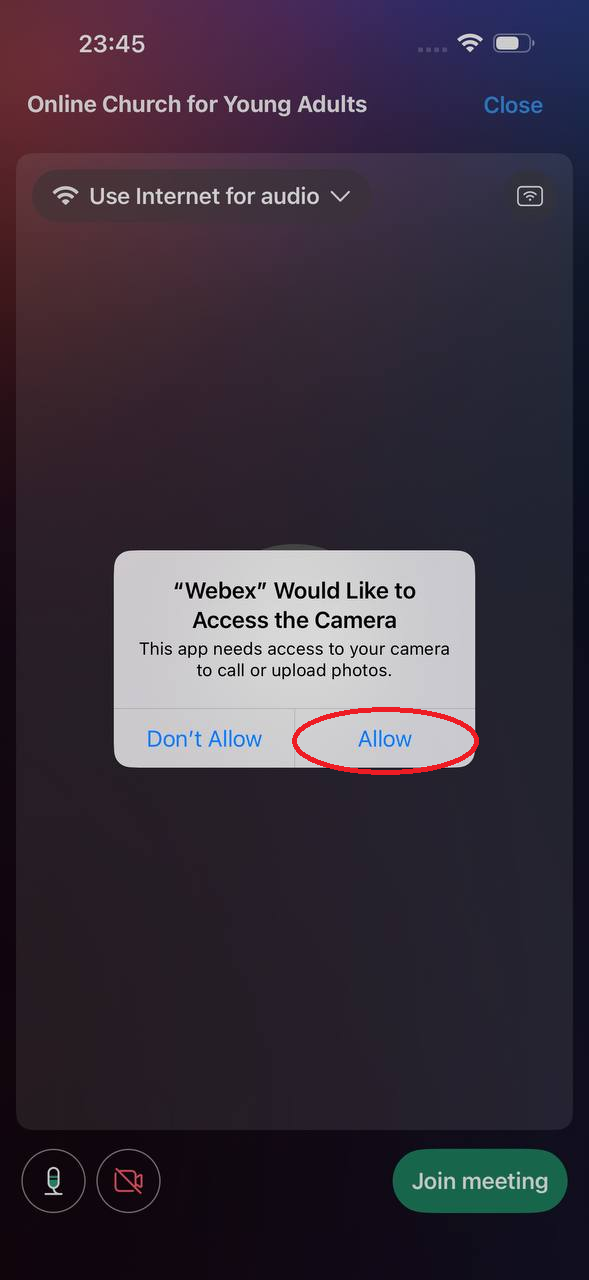
Choose Allow.
Step 11
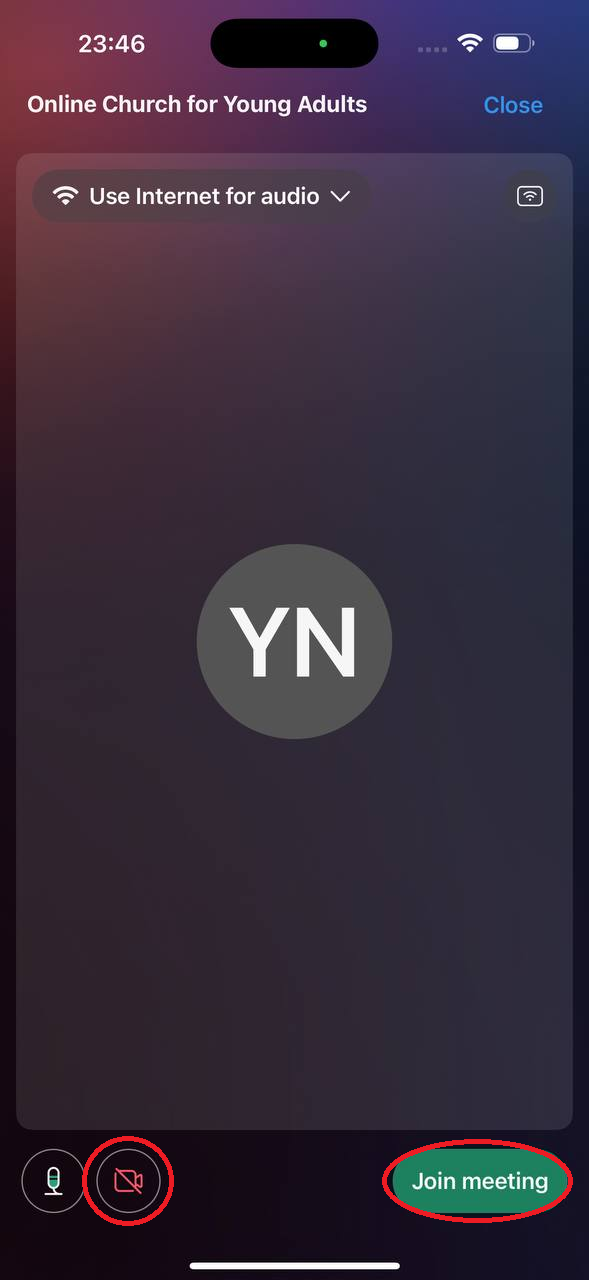
Check that you can see yourself. If not - check that the video is green. Click Join meeting.
Step 12
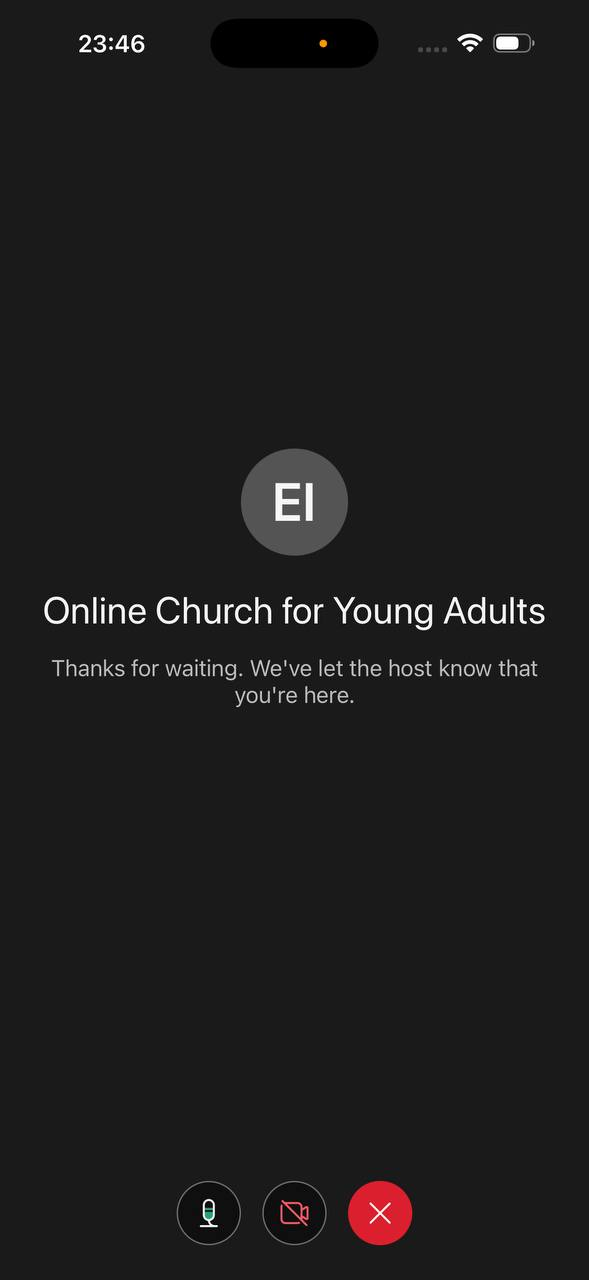
You will now arrive at the lobby. We will let you in as soon as possible.
Step 1
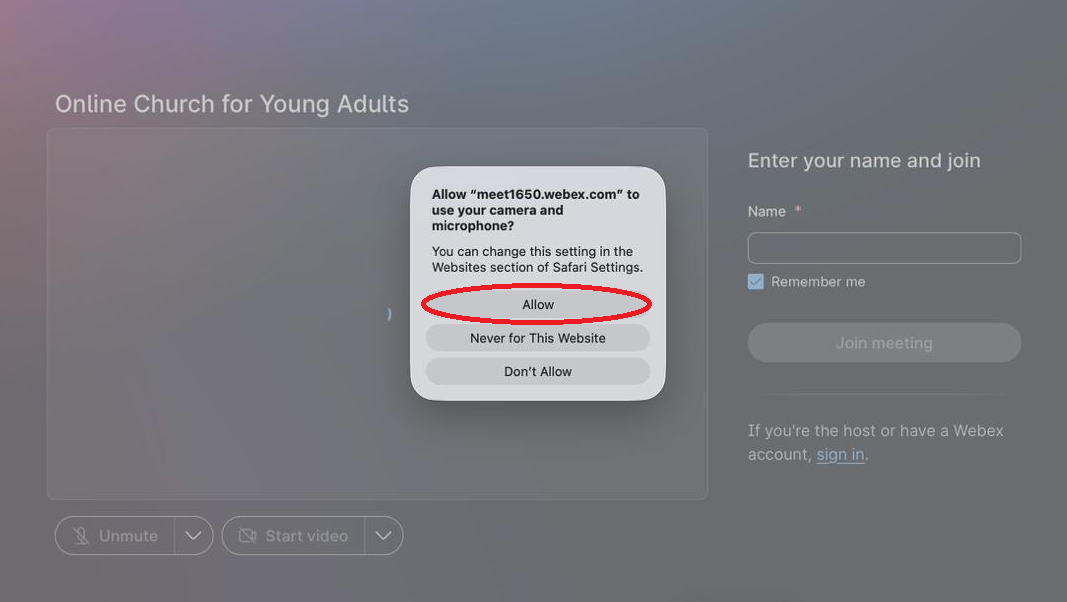
After clicking Join Now, you will come here. Select Allow.
Step 2
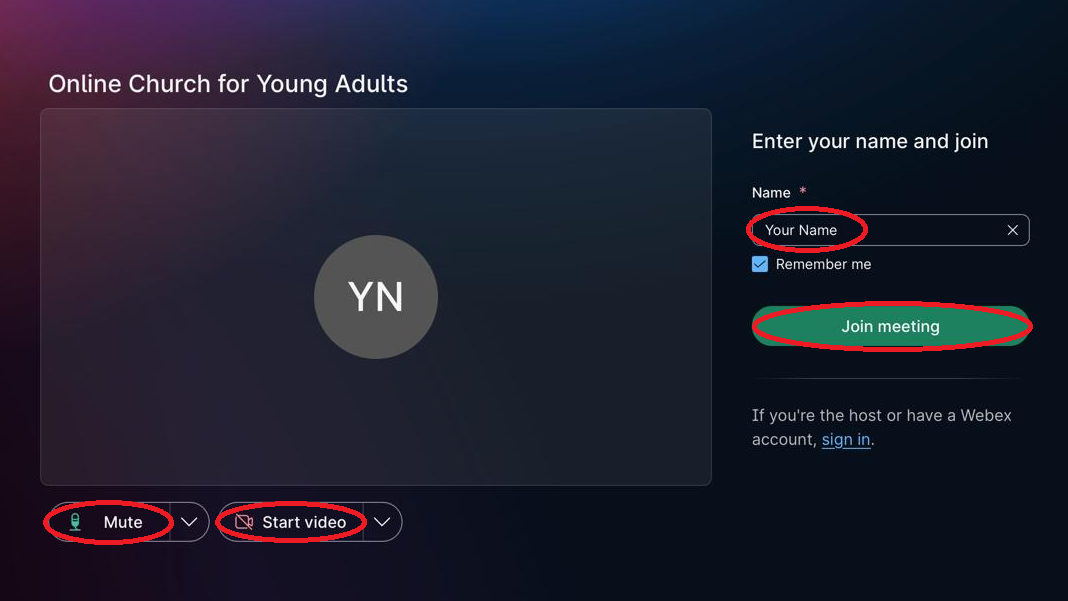
Enter your name. Check that you can see yourself. If not - check that the video is green. Press the down arrow if you want to change settings. Click Join meeting.
Step 3
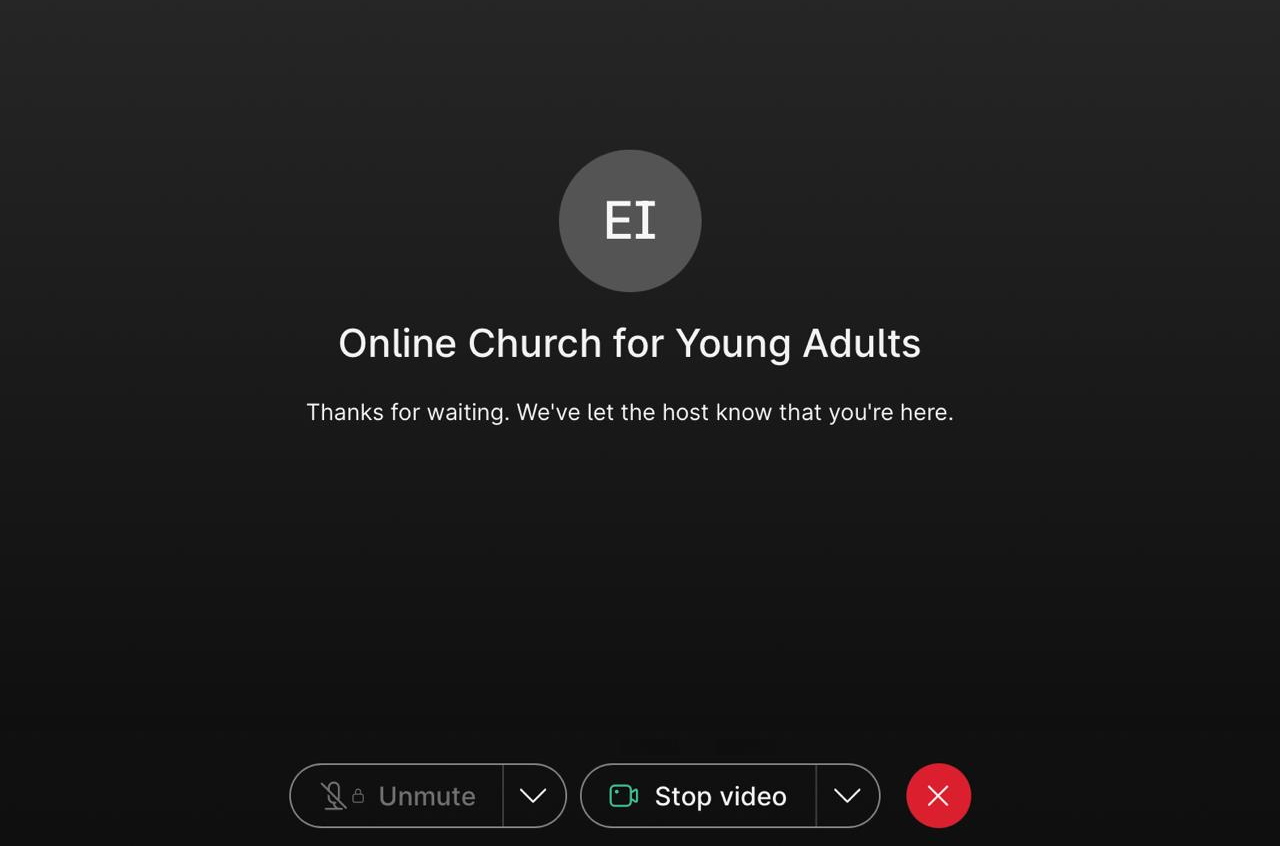
You will now arrive at the lobby. We will let you in as soon as possible.